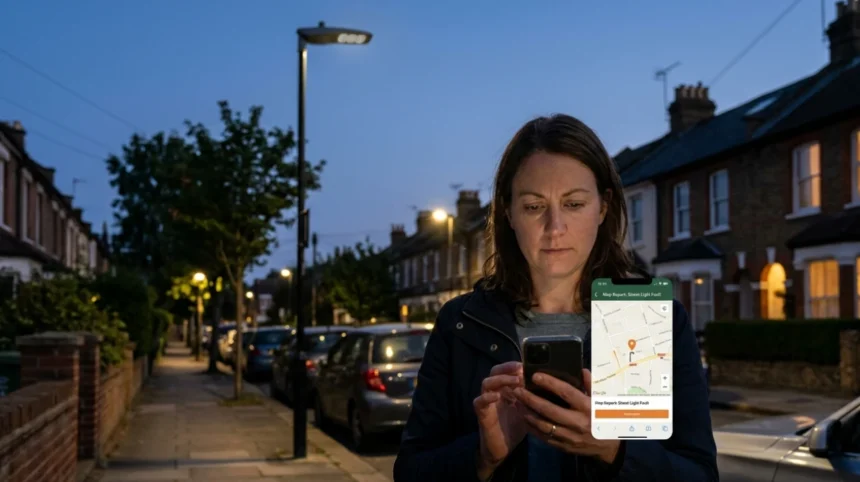
Residents across South London know that faulty street lights make neighbourhoods feel less safe after dark. In the London Borough of Bromley, South London households can use an official online map‑based tool to report street light faults quickly and track progress. This article explains how Bromley’s digital map system works, how to navigate it, and how South London residents can submit accurate, actionable reports that councils and contractors can act on.
- What is Bromley’s online map for street light faults?
- Why should South London residents use this map?
- How does Bromley’s online fault‑reporting map work?
- Who maintains street lights in Bromley and South London?
- When should you report a street light fault?
- How to access Bromley’s online map on any device
- How to enter location details on Bromley’s map
- How to select the correct fault type for a street light
- How to describe and attach evidence for a street light fault
- How Bromley routes and processes your street light report
- What to expect after submitting a fault report
- How South London residents can track and follow up on reports
- Common mistakes to avoid when using Bromley’s map
- How Bromley’s map helps South London councils manage light‑fault data
- How to use this map if you live near Bromley in South London
- Future implications of digital street‑light reporting in South London
What is Bromley’s online map for street light faults?
Bromley Council’s online map for reporting street light faults is a public‑facing web platform that lets South London residents mark specific lamp posts, bollards, or illuminated signs on a digital map and submit repair requests directly to the council. The system is embedded in Bromley’s “Report a problem in Bromley’s streets or parks” page and uses the FixMyStreet platform to collect, geolocate, and route fault reports.
Key elements of the system include:
- A postcode or street‑name search bar.
- An interactive map showing existing reported problems.
- A click‑to‑place marker tool to pinpoint the exact lamp‑post location.
- A structured form for fault type, description, and optional photos.
This setup aligns with other London boroughs that publish street‑light fault forms tied to map views, but Bromley’s choice of FixMyStreet adds community transparency by letting users see nearby issues others have reported.
Why should South London residents use this map?
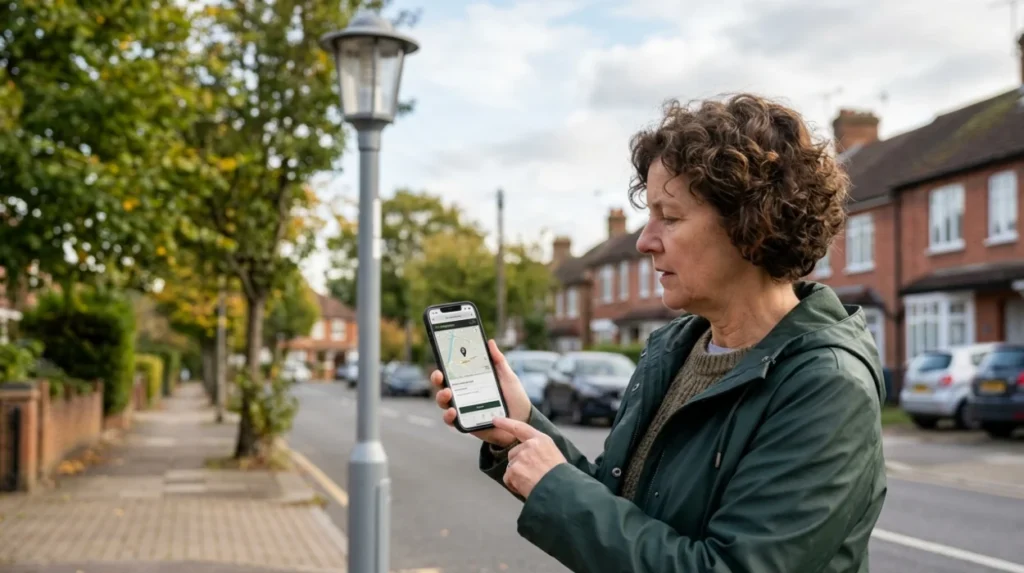
South London streets in areas such as Bromley, Beckenham, Penge, Anerley, and surrounding neighbourhoods rely on well‑lit public highways to maintain safety for pedestrians, cyclists, and motorists after dark. Faulty or missing street lighting increases the risk of accidents and can create perceived insecurity in residential areas, parks, and transport corridors.
By using Bromley’s online map, South London residents can:
- Report faults faster than by phone or email, with 24/7 access.
- Provide exact coordinates that speed up inspection and repair.
- Receive automatic updates if the council publishes progress notes.
Research from local councils across London shows that digital reporting channels can reduce average response times for street‑light faults by up to several days, because the data is structured and mapped rather than buried in voice‑mail or paper logs.
How does Bromley’s online fault‑reporting map work?
Bromley’s online map is built on the FixMyStreet platform, which the council uses for a range of street‑related issues, including potholes, graffiti, and cleansing problems. When a user reports a street light fault, the system captures the geographic point, description, and metadata, then forwards it to the relevant service team or contractor.
The mechanism works in four main steps:
- User input – The resident enters a Bromley postcode or street name and then clicks the map at the exact lamp‑post location.
- Geolocation – The system records latitude and longitude, plus a visible marker on the public map.
- Categorisation – The user selects the problem type (for example, “street light not working”, “flickering”, or “damaged column”), and adds a brief description.
- Routing – The council’s systems or its street‑light contractor receive the report, often with a target‑repair window tied to the fault category.
If the fault lies on a Transport for London (TfL)‑maintained road such as part of the A21 or the A232, the platform can automatically redirect the report to TfL instead of Bromley’s own street‑light team.
Who maintains street lights in Bromley and South London?
In Bromley, most street lights on local roads are maintained by the London Borough of Bromley or its contracted street‑lighting contractor. The council is responsible for lamp posts, column‑mounted bollards, and similar public‑highway fixtures within the borough boundary.
Separately, major arterial routes classified as TfL roads (such as parts of the A21 and the A232 between West Wickham and Locksbottom) are maintained by Transport for London, not Bromley Council.
South London residents need to know this distinction because:
- Faults on “regular” local roads should be reported via Bromley’s map.
- Faults on TfL‑maintained roads may be redirected automatically when you use the Bromley reporting page.
Councils and TfL typically publish guidance on which organisation is responsible for each road, and the Bromley map system can surface this information at the routing stage.
When should you report a street light fault?
Residents should report a street light fault whenever normal lighting is clearly impaired. Common trigger conditions include:
- A lamp post standing completely dark when neighbouring lights are on.
- Lights that flicker erratically or switch on and off without a schedule.
- Visible damage such as cracked lanterns, leaning columns, or exposed wiring.
Bromley and similar London boroughs usually treat permanent outages and flickering faults as higher‑priority than cosmetic issues, and may offer different response‑time targets. For example, some councils aim to inspect and repair electrical‑type faults within five working days, compared with longer windows for non‑urgent visual defects.
South London residents should avoid raising reports only as “general concerns” without a clear, locatable fault. The map system works best when each marker corresponds to a single, identifiable lamp post or lighting asset.
How to access Bromley’s online map on any device
Accessing Bromley’s fault‑reporting map is straightforward for South London residents using desktops, laptops, tablets, or smartphones. The primary route is the “Report a problem in Bromley’s streets or parks” page, which contains the map interface and related instructions.
Steps to access the map:
- Open a web browser and search for “report a problem in Bromley’s streets or parks” or “Bromley Council report a problem”.
- Select the official Bromley Council page, which will load the FixMyStreet‑based map.
- If prompted, accept necessary cookies or location permissions to allow the map to geolocate your area.
The platform includes a mobile‑friendly view, so users can also zoom in, tap the map, and submit reports directly from a smartphone without needing a separate app, though Bromley may also offer a dedicated reporting app referenced on the same pages.
How to enter location details on Bromley’s map
Accurate location data is essential for Bromley’s online map to route street light faults correctly. The system allows you to start with a postcode or street name, then refine the position with a click‑to‑place marker.
Process to enter location:
- In the search box, type a Bromley postcode (for example, BR1, BR2, BR3, BR4, or BR6) or a specific street such as “Beckenham Road” or “Anerley Road”.
- Click the matching result to centre the map on that area.
- Use the zoom controls to move to the exact junction or stretch of road where the faulty lamp post stands.
- Click precisely on the base of the lamp post to drop the report marker.
Residents should aim to place the marker at the foot of the column, not in the middle of the road or pavement, so the coordinates match the physical asset. If the postcode search returns a large area, zooming in helps avoid confusion with nearby streets.
How to select the correct fault type for a street light
Bromley’s reporting form typically lets users choose from predefined categories that describe the nature of the street light fault. Selecting the right category helps the council and its contractor assign the correct priority and repair type.
Common fault‑type options include:
- “Street light not working” (fully dark).
- “Street light flickering” (intermittent operation).
- “Damaged column or lantern” (physical damage visible).
- “Light shining where it shouldn’t” (mis‑aimed or over‑directed beams).
The user should pick the single option that best matches the observable behaviour. If multiple issues exist at the same lamp post (for example, it is flickering and the lantern is cracked), the most safety‑critical issue should guide the primary selection, with additional details in the description field.
Always check the definitions or help text attached to each category, if available, so that Bromley’s systems interpret the fault consistently across thousands of reports logged each year.
How to describe and attach evidence for a street light fault
A clear written description plus optional photos can significantly improve the chances of a fast, accurate repair. Bromley’s form invites users to summarise the problem, provide context, and upload images where relevant.
Recommended description elements:
- Street name and nearest landmark (for example, “outside 23 Priory Road, near the junction with West Wickham High Street”).
- Exact position relative to buildings or junctions (for example, “on the west side of the road, third lamp post from the junction”).
- Behaviour (for example, “remains completely dark from 19:00 until 06:00”, or “flickers every few seconds”).
Photo‑evidence should show:
- The lamp‑post number or asset ID if visible.
- The lantern and column from multiple angles to illustrate damage or mis‑alignment.
- The night‑time effect if possible, though residents should not endanger themselves taking photos after dark.
Uploading images can help inspectors avoid revisits and clarifications, especially where multiple similar posts line a street.
How Bromley routes and processes your street light report
Once submitted, Bromley’s online map system routes the street light fault report to the appropriate internal team or contractor, often with a reference number and estimated inspection window.
Typical processing stages include:
- Acknowledgement – The system may send a confirmation email or message and publish the report on the public map.
- Prioritisation – Street‑light faults are classified by urgency (for example, total outage versus cosmetic damage) and by technical type (electrical fault versus structural issue).
- Inspection and repair – A contractor or council engineer visits the site, diagnoses the fault, and carries out the repair, which may involve replacing bulbs, ballasts, or damaged columns.
- Update – After resolution, the council or contractor may update the report status via the map so residents can see that the fault has been treated.
South London residents can revisit the map page and search for their postcode or the report reference to see whether the issue has been marked as fixed or is still pending.
What to expect after submitting a fault report
After submitting a street light fault through Bromley’s online map, residents should expect a sequence of status changes and timeframes. Exact timelines vary by fault category and contractor workload, but many London boroughs publish indicative response windows.
Expectations for South London residents:
- Within 1–2 working days: Many councils aim to log and acknowledge the fault, sometimes with an email confirmation.
- Within 3–5 working days: Higher‑priority electrical faults (such as total outages and flickering) may be inspected and repaired under standard service‑level targets.
- Longer periods: Structural or complex electrical faults, or those on TfL roads, may take longer because multiple organisations coordinate.
If the map or an email does not update within the stated timeframe, residents can contact Bromley Council via the contact form or phone channels referenced on the same reporting page, quoting the report reference number.
How South London residents can track and follow up on reports
Bromley’s map‑based reporting system allows South London residents to track the status of their street light fault reports without needing to call repeatedly. Each report appears on the public map with a title and, in many cases, a status badge such as “Under investigation” or “Fixed”.
Tracking steps:
- Return to the “Report a problem in Bromley’s streets our parks” page.
- Use the same postcode or street name to centre the map on the area.
- Look for the marker that matches your original point; available details may include the report date, description, and status.
If a report seems to be stuck open for longer than the council’s stated inspection window, residents can:
- Add a polite comment to the public report if that feature is enabled.
- Use the Bromley Council contact options (online form or phone) and reference the unique report identifier.
This combination of self‑service tracking and formal follow‑up helps maintain accountability and reduces pressure on call‑centres.
Common mistakes to avoid when using Bromley’s map
South London residents can maximise the effectiveness of Bromley’s online map by avoiding common data‑entry and reporting errors. These mistakes can delay repairs or lead to misrouting of the fault.
Key mistakes to avoid:
- Wrong location – Placing the marker on the wrong street, junction, or side of the road can send engineers to the wrong asset. Always double‑check the zoom level and surrounding landmarks.
- Too vague descriptions – Phrases such as “lights are bad here” or “the area is dark” are less useful than specifying which exact post is faulty and how it behaves.
- Multiple faults in one report – If several lamps are out along a stretch, each should ideally be reported separately to ensure none are missed.
- Ignoring TfL roads – On arterial routes maintained by Transport for London, residents should either rely on automatic redirection or check TfL’s own reporting channels rather than resubmitting to Bromley.
Taking a few extra minutes to enter precise coordinates, a clear description, and, where possible, a photo will save inspection time and improve outcomes.
How Bromley’s map helps South London councils manage light‑fault data
Bromley’s online map is not just a reporting tool for residents; it also serves as a data‑management and planning system for South London councils and contractors. The platform aggregates thousands of reports each year, creating a live dataset of street‑light faults across the borough.
Uses of this data include:
- Fault‑trend analysis – Identifying streets or areas with recurring outages to prioritise lamp‑post upgrades or network‑reinforcement works.
- Resource planning – Allocating engineers and materials based on real‑time maps of active faults rather than manual spreadsheets.
- Performance monitoring – Tracking how quickly different categories of faults are resolved, helping councils meet service‑level targets.
By using Bromley’s map, South London residents contribute to a smarter, more responsive street‑lighting system that can detect and prioritise hotspots over time.
How to use this map if you live near Bromley in South London
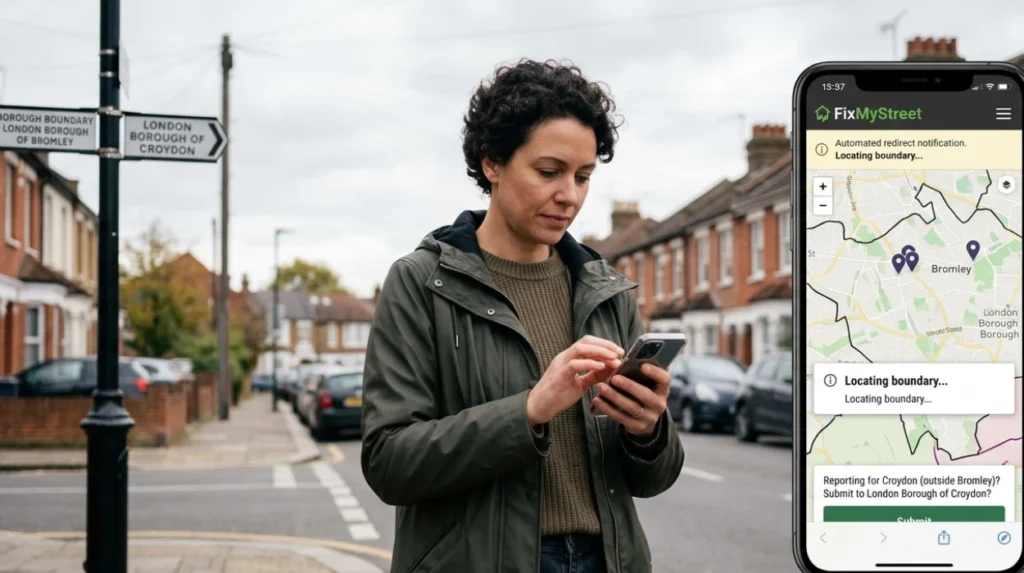
South London residents who live just outside Bromley’s boundary can still interact with the same platform, though the map will automatically route reports to the correct local authority. FixMyStreet operates across the UK, and Bromley’s instance is configured to handle surrounding areas by redirecting them to the appropriate council or TfL.
Residents in nearby boroughs such as Croydon, Lewisham, or Greenwich should:
- Enter their own postcode or street name first.
- Let the system suggest whether the location falls under Bromley, another council, or TfL.
- Confirm the suggested authority before submitting the report.
This cross‑boundary design means that South London residents can use a single, familiar interface to report street light faults, even if they live on the edge of Bromley.
Future implications of digital street‑light reporting in South London
As councils across South London expand digital reporting and mapping tools, platforms like Bromley’s online map will likely become central to proactive street‑light maintenance rather than reactive fault‑fixing. Predictive maintenance models already use aggregated fault‑data to identify lamps nearing end‑of‑life and schedule replacements before failure.
Future developments may include:
- Automated health alerts – Integrating sensor data from smart lamp posts to flag faults before residents report them.
- Priority‑ranking dashboards – Allowing councils to visualise high‑risk dark‑spots and prioritise resources accordingly.
- Greater public transparency – Live maps showing repair status, historical outage rates, and planned upgrades for South London roads.
By learning how to use Bromley’s online map now, South London residents position themselves to benefit from these advancements, contributing to safer, better‑lit streets for the long term.
How do I report a faulty street light in Bromley?
Use the official FixMyStreet map on the London Borough of Bromley website. Select the exact lamp location, describe the issue, and submit the form.