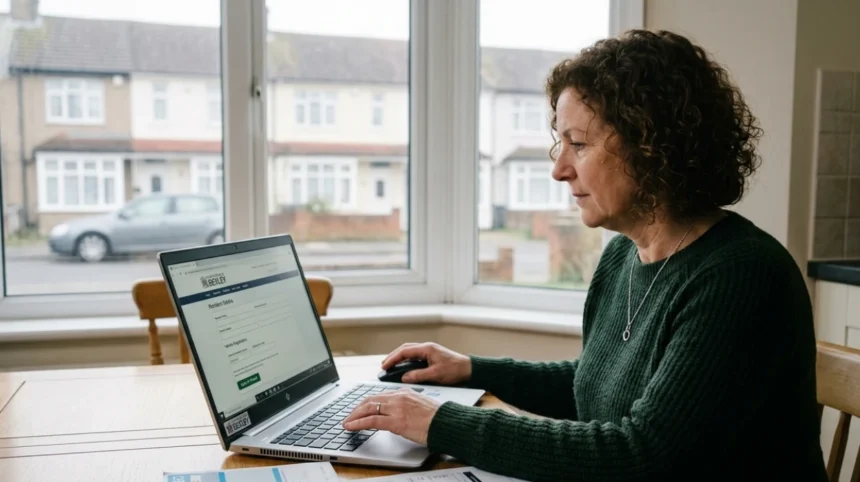
Applying for a virtual parking permit in Bexley requires creating an online permit account at Bexley Council’s website, uploading proof of residence and vehicle ownership, and paying the permit fee. The virtual permit activates within 2 working days after approval, with no physical display needed since enforcement uses ANPR license plate scanning.
- What Is a Virtual Parking Permit in Bexley?
- Who Can Apply for a Bexley Parking Permit?
- What Documents Do You Need to Apply?
- Proof of Residence Requirements
- Proof of Vehicle Ownership Requirements
- How Do You Create a Permit Account?
- What Are the Step-by-Step Application Instructions?
- How Much Does a Bexley Parking Permit Cost?
- How Long Does Permit Processing Take?
- How Does Virtual Permit Enforcement Work?
- How Do You Renew or Update Your Permit?
- What Happens If Your Permit Application Gets Rejected?
- How Do You Contact Bexley Council for Parking Permit Help?
What Is a Virtual Parking Permit in Bexley?
A virtual parking permit in Bexley is a digital authorisation stored in the council’s database that links your vehicle registration number to your permitted parking status. Unlike physical permits, you display nothing on your vehicle because Civil Enforcement Officers use ANPR cameras to scan license plates and verify permit status instantly.
Bexley Council uses a virtual permit system for most parking permits and car park season tickets across the borough. This ticketless parking approach eliminates paper permits entirely. The system connects directly to equipment carried by Civil Enforcement Officers, so there is no need to display any physical permit.
The virtual permit works through Automated Number Plate Recognition (ANPR) technology. When an enforcement officer scans your vehicle’s license plate, the system cross-references it with the council’s permit database. If your vehicle registration matches an active permit record, enforcement systems show you as authorized to park.
This system covers residents’ parking permits, business parking permits, car park season tickets, and visitor scratch cards. Visitor vouchers remain in paper format as scratch cards and are not yet available virtually. The council transferred all permit services to online-only processing. Bexley libraries and the Civic Offices no longer assist with permit applications.
Virtual permits reduce administrative costs and prevent physical permit loss or damage. The digital system updates instantly when you renew or change permit details. Your permit remains active in the database without requiring physical replacement.
Who Can Apply for a Bexley Parking Permit?
Residents who live within a Controlled Parking Zone (CPZ) or Permit Parking Area (PPA) in Bexley can apply for residents’ parking permits. Businesses registered at addresses within CPZs qualify for business parking permits. Visitors need scratch cards purchased by eligible residents, not direct permit applications.
Resident eligibility requires proof that you reside at an address within a permit zone. The council cross-checks applications against registers and databases to confirm residency. Planning conditions on some new-build housing schemes prevent residents from applying for visitor scratch cards, though they can still obtain resident permits.
Business permit applicants must operate from an address within a Controlled Parking Zone. The business must provide proof of business registration at that address. Visitor scratch cards are not available for businesses—only residential permit holders can purchase them.
Blue Badge holders receive additional parking concessions. Blue Badge holders can park in disabled, resident, business, pay-to-park areas, car parks, and shared-use parking bays when their badge displays correctly. The virtual permit system recognizes Blue Badge status separately from standard permits.
Each household can hold multiple vehicle permits up to council limits. A surcharge applies to second and subsequent car or van permits at the same address, as shown during the application process. The surcharge structure encourages households to limit the number of vehicles using resident parking zones.
Non-residents outside CPZs cannot apply for resident permits. Street parking outside controlled zones follows standard London parking rules without permit requirements. Allocate time to confirm your address falls within a CPZ boundary before starting your application.
What Documents Do You Need to Apply?
You need two proofs of identity: one proof of residence (utility bill dated within 3 months, Council Tax bill, or driving licence) and one proof of vehicle ownership (V5C registration document, lease agreement, or letter of authority for company vehicles).
Proof of Residence Requirements
Acceptable proof of residence includes one document from this list, dated within the last 3 months: gas utility bill, electric utility bill, water utility bill, TV licence, home insurance policy, most recent Council Tax bill, or driving licence.
Utility bills must show your name and address matching the permit application exactly. Digital bills print to PDF or screenshot qualify if they display the required date and address information. Council Tax bills from the most recent billing year satisfy the residency requirement without the 3-month restriction.
Driving licences accepted must be UK-issued and show your current address. If your licence displays an old address, pair it with a utility bill showing your current residence. The council rejects utility bills older than 3 months as insufficient proof of current residency.
If you recently moved and have not yet received utility bills at the new address, provide a letter from your solicitor confirming the completion date or a tenancy agreement. This applies to new residents awaiting bill transfers.
Proof of Vehicle Ownership Requirements
For personal vehicles, provide a copy of the vehicle registration document (V5C), commonly called the logbook. The V5C must show your name as registered keeper matching your permit application.
Company vehicles require a letter of authority on headed paper signed by an executive or director. The letter must confirm vehicle details and state that you have exclusive use of the vehicle. Unsigned letters or letters without executive signatures fail verification.
Leased vehicles need a copy of the lease agreement from a reputable organization. Your name and address must match the hirer details shown on the agreement. If you renew or change the lease, inform the council immediately and provide the new agreement copy.
For newly purchased vehicles not yet registered under your name, the council accepts a bill of sale. This allows 1 month after vehicle change for you to provide the V5C. Without the bill of sale, you cannot apply until the V5C arrives.
Motorcycles follow the same documentation requirements as cars. The V5C or lease agreement must show motorcycle details matching the permit application. Reread document details before uploading to avoid rejection from errors.
Explore More Help & Resources
How to use the Wandsworth portal for abandoned vehicles
How to report a dumped car in Southwark for quick towing
How Do You Create a Permit Account?
You create a permit account by visiting Bexley Council’s online parking services page, clicking “Create an account,” entering your vehicle registration number accurately, and setting a password. Account setup takes a few minutes and eliminates repeat registration for future applications and renewals.
Navigate to the Bexley Council parking permits section at bexley.gov.uk. Click the link for “Apply for a parking permit” to reach the account creation page. The system requires account creation for all permit types except Blue Badges.
Enter your vehicle registration number precisely when creating your account. The system warns you not to confuse letters ‘I’ and ‘O’ with numbers ‘1’ and ‘0’. This error causes permit activation failures and enforcement confusion.
Choose a password you will remember since you cannot recover forgotten passwords easily. Use a mix of letters, numbers, and symbols for security. Save your login credentials securely for future permit renewals and changes.
Once your account exists, you reuse it for all future permit transactions. Apply for residents’ permits, business permits, car park season tickets, visitor scratch cards, and dispensation or suspension requests through the same account. No repeated account setup occurs for renewals or additional permits.
The system sends confirmation emails when you create your account and when permits activate. Check your spam folder if confirmation emails do not arrive within 1 hour. Contact parking@bexley.gov.uk if account creation fails.
Data protection rules allow the council to share your information with third parties like APCOA for permit processing and fraud prevention. Read the council’s Privacy notice for details on data usage and submission of data protection requests.
What Are the Step-by-Step Application Instructions?
Log into your permit account, select your permit type (resident or business), choose your CPZ zone, upload proof of residence and vehicle ownership documents, confirm details, and pay the fee online. The permit activates within 2 working days after document verification.
Begin by signing into your permit account at the Bexley Council parking portal. Click the “Permit application” icon on your account dashboard. Select the permit category matching your needs from the list: Residential Permits, Business Permits, or Car Park Season Tickets.
Choose your specific zone from the dropdown menu. The zone corresponds to your address’s Controlled Parking Zone. Selecting the wrong zone causes permit rejection or enforcement issues even with correct documents.
Upload your proof of residence document first. Select the file type (PDF, JPG, or PNG) and upload the clear scan or photo. Ensure the document shows your name, address, and date clearly. Blurred or incomplete document uploads trigger rejection.
Upload your proof of vehicle ownership document next. The V5C, lease agreement, or letter of authority must show complete vehicle details including registration number, make, model, and keeper name. Incomplete uploads require restart of the application.
Review all entered information before submission. Check vehicle registration numbers, zone selection, address details, and document uploads. The system displays an estimated total price before payment. Confirm accuracy before paying.
Pay using debit or credit card through the secure payment gateway. The system accepts all major cards. Payment confirmation appears immediately after successful transaction. Save the confirmation number for your records.
Submit the completed application. The system queues your application for document verification. Processing typically takes up to 2 working days, though the council aims for faster approval. You receive email notification when your permit activates.
Your virtual permit becomes valid from the selected start date after approval. You can select immediate activation or a future date during application. Late-start permits save money if you do not need immediate coverage.
How Much Does a Bexley Parking Permit Cost?
Bexley residents’ parking permits cost £53 annually for Zone A (Monday to Saturday, 8:30am to 5:30pm) and £41 for Zone H (Monday to Friday, 10am to 11am), with prices subject to annual increases and surcharges for additional vehicles or non-compliant emissions.
The base permit charge covers council administrative costs for issuing permits regardless of duration. Recent tariff notices indicate permit charges increased from £175 to £250 for certain permit types, reflecting inflation and operational costs.
Zone-specific pricing applies based on your CPZ designation. Zone A permits cover the longest restriction hours (Monday to Saturday), commanding higher fees. Zone H covers shorter weekday-only restrictions, costing less annually.
Second and subsequent vehicle permits at the same address incur surcharges. The surcharge structure appears during application before payment. This discourages households from registering multiple vehicles in limited parking zones.
Diesel vehicles pre-Euro 6 (registered before 1 September 2015) face additional diesel surcharges in many London councils. Check Bexley’s current emissions policy during application. Non-compliant vehicles pay extra fees on top of base permit costs.
Fully electric vehicles and zero-emission vehicles receive pricing advantages in many London boroughs. Some councils waive permit fees entirely for electric vehicles. Confirm Bexley’s current EV discount policy during your application.
Payment accepts debit or credit cards only. The council does not accept cash through post or direct bank transfers for online applications. Ensure sufficient funds exist before completing payment.
Permit charges increase annually each April. New permit applicants pay current rates at time of application. Renewals lock in the price at renewal time, not original purchase price.
How Long Does Permit Processing Take?
Virtual permit applications process within 2 working days after receiving all correct documentation. The council aims for faster approval, but complete document uploads prevent delays. Incomplete or unclear documents extend processing time significantly.
The 2-working-day timeline starts when the council receives all required documents. Partial applications without complete uploads pause processing until documents arrive. Upload clarity matters—blurry scans require manual review, adding days.
Application processing times vary by council workload. During peak renewal periods (January–March), processing may extend beyond 2 days. Apply early before current permit expires to avoid gaps in coverage.
Renewal applications sometimes take up to 10 working days depending on verification requirements. New permit applications typically process faster than renewals since new applicants require full verification.
Permit validity begins on the selected start date after approval. You can choose a future start date if applying early. The permit remains inactive until the start date passes, even if approved earlier.
Civil Enforcement Officers receive permit data in real time through their equipment. Once approved, your permit appears instantly in enforcement systems. You do not need to wait for physical confirmation to park legally.
Track application status through your permit account dashboard. The system shows processing stage: “Received,” “Under Review,” “Approved,” or “Rejected.” Email notifications alert you to status changes.
Rejected applications require document resubmission. The council emails rejection reasons with specific correction instructions. Resubmit corrected documents within 48 hours to maintain original application date.
How Does Virtual Permit Enforcement Work?
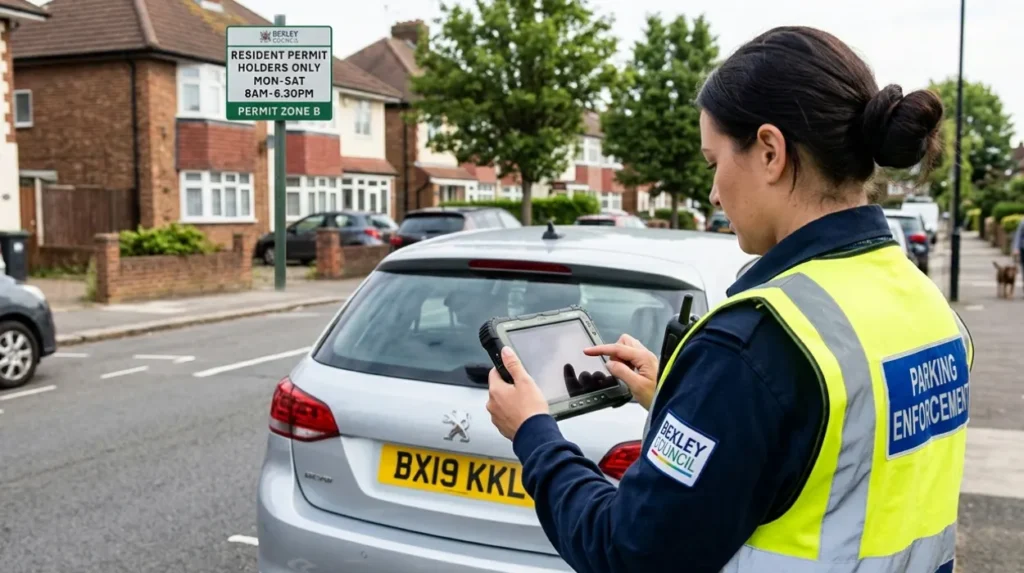
Enforcement uses ANPR cameras on Civil Enforcement Officers’ vehicles and handheld devices to scan license plates. The system instantly cross-references scanned plates with the permit database. If your registration matches an active permit, enforcement shows you as authorized without visual permit checks.
ANPR stands for Automated Number Plate Recognition. Cameras capture license plate images and convert them to readable text. The system compares captured text against the council’s permit database in real time.
Civil Enforcement Officers patrol Controlled Parking Zones carrying ANPR equipment. Handheld devices show permit status immediately after scanning. Officers do not inspect windshields for physical permits since none exist.
The ANPR system monitors parking patterns, length of stay, and enforcement officer efficiency. Bexley launched ANPR trials near Bexley train station to enhance car park management. The system supports ticketless parking throughout the borough.
If ANPR scans show no matching permit for a vehicle in a restricted zone, the system flags the vehicle for potential Penalty Charge Notice (PCN) issuance. Officers verify the alert before issuing citations to prevent errors.
Blue Badge holders receive automatic recognition through the ANPR system. Disabled badge registration links to permit database entries. Officers see Blue Badge status alongside permit status during scans.
System errors occur occasionally when database updates lag behind permit purchases. If you believe you hold a valid permit but receive a PCN, appeal with permit confirmation from your account. Data protection rules support your right to verify permit records.
Virtual permits eliminate disputes over faded, damaged, or misplaced physical permits. The database record provides definitive proof of permit status. Your vehicle registration number serves as the permit identifier.
How Do You Renew or Update Your Permit?
Log into your existing permit account, select the permit to renew, confirm address and vehicle details remain current, upload any new required documents if requested, and pay the renewal fee. Account holders avoid recreating accounts, speeding renewal significantly.
Renewals should occur before permit expiration to avoid coverage gaps. The system sends email reminders 30 days before expiry. Set calendar alerts to renew proactively even without council reminders.
Confirm vehicle registration number matches your current vehicle. If you changed vehicles, update vehicle details before renewing. Registration mismatches cause permit invalidation despite payment.
Verify your address remains unchanged. Move within Bexley but outside your CPZ requires reapplying for the new zone’s permit. Zone switching triggers different fees and eligibility checks.
Upload new documents only if the system requests them. Most renewals use existing documents unless they expired. Council Tax bills older than 1 year may require replacement with current versions.
Renewal fees appear before payment. Annual price increases apply at April renewal dates mid-cycle. Renewing in March locks in old pricing while April renewals charge new rates.
Permit changes require updating details through your account before renewal. Change vehicle registration, burn address, or contact information through the “Update Details” section. Updates affect permit validity immediately.
Cancellations occur through your account if you move outside Bexley or no longer need the permit. Cancelled permits stop future charges but do not generate refunds for unused periods unless council policy allows.
What Happens If Your Permit Application Gets Rejected?
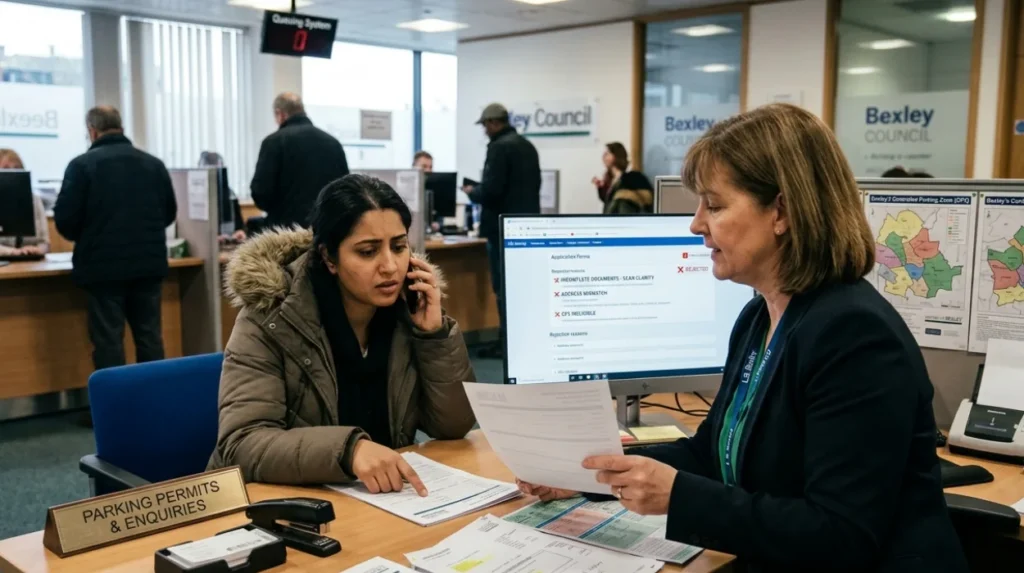
Rejection occurs due to incomplete documents, unclear scans, mismatched address/vehicle information, or ineligibility (residing outside CPZ). The council emails specific rejection reasons. Resubmit corrected documents within 48 hours with clarifying notes to prevent application timeout.
Document clarity rejection requires resubmitting high-resolution scans. Blur occurs from phone camera focus issues or poor lighting. Use document scanners or scanner apps for crisp images. Cropped document edges cause automatic rejection.
Address mismatch rejection happens when utility bills show different addresses than the permit application. Utility companies often delay address updates. Provide multiple document types showing consistent address information.
Vehicle ownership rejection occurs when V5C names differ from applicant names. Joint ownership requires both owners on the permit application. Company vehicles need signed letters of authority, not generic business letters.
Ineligibility rejection happens when addresses fall outside CPZ boundaries. Check your address against the council’s CPZ map before applying. Street addresses near zone edges often confuse applicants.
Appeal rejections by contacting parking@bexley.gov.uk with supporting documentation. Clear communication explaining document circumstances prevents repeated rejection. Email subject lines should include application reference numbers.
Payment failures do not equal rejection but delay processing. Failed payments require card detail updates and payment retry. Expired cards or insufficient funds prevent permit activation even after document approval.
Temporary permits exist for edge cases like new residents awaiting V5C. The council accepts bills of sale for 1 month post-purchase. Solicitor completion letters help new residents before utility bills arrive.
How Do You Contact Bexley Council for Parking Permit Help?
Contact Bexley Council parking services by phone at 020 8303 7777, email at parking@bexley.gov.uk, or through your permit account’s help section. Phone lines operate Monday to Friday during business hours. Email responses arrive within 2–3 working days.
The main parking services phone number handles permit questions, application issues, and enforcement queries. Call during business hours (Monday to Friday, 9am–5pm) for fastest service. Public holidays close phone lines.
Email support handles complex document questions, data protection requests, and technical issues. Include your application reference number and full name in emails. Attach relevant documents to speed resolution.
The permit account dashboard contains help resources including FAQs and contact forms. Account-specific help shows your permit status and recent activity. Use account help for renewals and updates rather than general inquiries.
Bexley libraries and Civic Offices no longer assist with permit applications as of recent policy changes. All permit services moved online exclusively. Visit no physical locations for permit help.
How do I apply for a virtual parking permit in Bexley?
Apply through the official Bexley Council parking permit portal by creating an online account, uploading documents, and paying the permit fee online.