Managing visitor parking permits in the Royal Borough of Greenwich requires residents to navigate the integrated digital parking system managed by the local authority. This system allows residents living within Controlled Parking Zones to purchase, activate, and manage parking credits for their guests using an online portal. The digital transition eliminates physical scratchcards, streamlining enforcement through vehicle registration mark scanning.
- What is the Greenwich online visitor parking permit system?
- Who is eligible to buy visitor parking permits in Greenwich?
- How do you set up an online Greenwich parking account?
- What are the steps to buy visitor parking permits online?
- How do you activate a virtual visitor parking permit for a guest?
- What are the costs and time limits for Greenwich visitor permits?
- Can you change or cancel an activated visitor permit online?
- How do enforcement officers verify digital visitor permits?
- What should you do if you receive a parking ticket while using a virtual permit?
- How does the system handle multiple visitors at the same time?
- What are the long-term benefits of the digital parking transition in South London?
What is the Greenwich online visitor parking permit system?
The Greenwich online visitor parking permit system is a digital platform that allows residents within Controlled Parking Zones to buy and activate virtual parking credits for guests. This system links a visitor’s vehicle registration directly to the council’s enforcement database.
Controlled Parking Zones are designated urban areas where parking is restricted to ensure residents, businesses, and visitors have equitable access to local road space. The Royal Borough of Greenwich introduced the online permitting system to replace physical paper scratchcards. This modernization aligns with broader local government digital transformation strategies across South London. The primary objective is to reduce administrative overhead, minimize printing waste, and prevent fraudulent permit replication.
The infrastructure relies on a centralized database connected to the Greenwich Council parking portal. Residents must establish a verified account tied to their specific residential address within an active parking zone. Once the account is approved, users manage all transactions, credit balances, and vehicle allocations through a web browser or mobile application. The virtual system functions by registering the visitor’s vehicle registration mark, which Civil Enforcement Officers verify instantly using handheld electronic devices.
Transitioning to a virtual framework changes how parking compliance is monitored. Civil Enforcement Officers do not look for physical permits displayed on a vehicle dashboard. Instead, they scan the vehicle license plate to check the real-time database for an active virtual permit session. If the system confirms a valid activation for that specific registration mark and location code, the vehicle complies with local regulations.
Who is eligible to buy visitor parking permits in Greenwich?
Adult residents who permanently live at a verified address within an active Greenwich Controlled Parking Zone are eligible to purchase visitor parking permits online. Applicants must provide official proof of residency to activate their account and access permit purchasing options.
Eligibility depends strictly on geographical location and residential status within the borough. Greenwich features over 30 distinct Controlled Parking Zones, including specific zones like Zone A (Greenwich Town Centre), Zone a (Blackheath Standard), and Zone El (Eltham). Individuals living outside these defined zones cannot purchase visitor permits, as their guests can park on public highways without these specific restrictions. Furthermore, residents living in car-free housing developments, which are established through planning conditions under Section 106 of the Town and Country Planning Act 1990, are legally barred from obtaining permits.
Age and tenancy status represent secondary criteria for eligibility. The account holder must be aged 18 years or older. Landlords who own property in Greenwich but do not reside at the address are ineligible to purchase resident visitor permits for their tenants. The system requires the individual actually occupying the property as their principal home to manage the account.
Verification requires applicants to upload specific documentation during the registration process. Greenwich Council accepts a current Council Tax demand notice, a formal tenancy agreement, or a utility bill dated within the last three months, such as an electricity, gas, or water bill. Mobile phone statements and credit card bills are generally excluded from accepted proof of residency. The council checks these documents against local electoral registers and land registry records to prevent fraudulent applications.
How do you set up an online Greenwich parking account?
To set up an online Greenwich parking account, residents must visit the official Royal Borough of Greenwich portal, select the permit management section, enter personal details, upload required proof of residency documents, and await verification from the council.
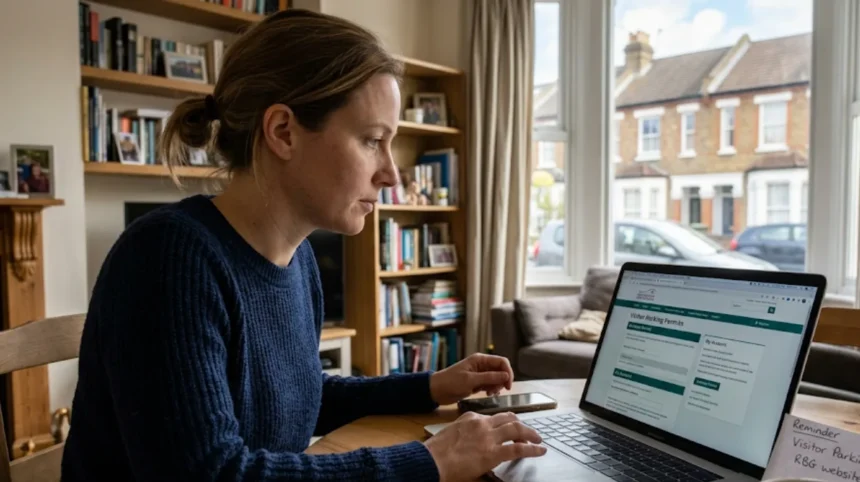
The account creation process begins on the dedicated Greenwich parking portal, which operates on secure, encrypted servers to protect user data. Users select the option to register a new residential account. The system prompts the applicant to enter their full legal name, permanent address, postcode, telephone number, and valid email address. The email address serves as the primary username and communication channel for account confirmations and renewal notices.
The second stage involves address verification through a integrated address lookup tool. When the user enters their postcode, the system presents a dropdown list of eligible properties within that Controlled Parking Zone. If the address is restricted by planning conditions or falls outside a zone, the system halts the registration process automatically. Once an eligible address is selected, the portal opens an upload interface where the applicant must attach digital copies of their proof of residency, such as a PDF of their Council Tax bill or a JPEG image of a recent utility statement.
After submission, the application enters a verification queue managed by the Greenwich Council parking administration team. Review times typically range from two to five working days. During this period, administrators cross-reference the uploaded documents with municipal databases. Once approved, the resident receives an automated email containing an activation link. Clicking this link allows the user to establish a secure password, completing the setup process and unlocking the ability to purchase visitor vouchers.
What are the steps to buy visitor parking permits online?
Residents buy visitor parking permits online by logging into their verified Greenwich parking account, selecting the visitor permit option, choosing the quantity of daily or hourly credits needed, and completing a secure payment using a debit or credit card.
Purchasing credits requires users to navigate the primary dashboard of the parking portal after logging in. The interface displays available permit types based on the user’s specific zone eligibility. Residents select the “Buy Permits” or “Visitor Vouchers” option. The system then displays the available allocations, which are divided into distinct categories based on time increments, such as 2-hour vouchers, 4-hour vouchers, or full-day vouchers.
The user must specify the exact volume of permits required. Greenwich Council imposes strict annual caps on the total number of visitor parking credits a single household can purchase to prevent commercial exploitation of residential parking spaces. For example, a household might be limited to a maximum of 200 daily visitor vouchers per calendar year. The system tracks historical purchases on the account and prevents the user from adding items to the digital shopping cart if the transaction exceeds the annual allowance.
Payment processing occurs through an integrated, PCI-DSS compliant payment gateway. The portal accepts major payment methods, including Visa debit cards, Visa credit cards, Mastercard debit cards, and Mastercard credit cards. The system does not support cash, postal orders, or American Express. Once the bank authorizes the transaction, the portal updates the user’s account balance instantly, reflecting the newly purchased credits in the digital wallet available for immediate deployment.
How do you activate a virtual visitor parking permit for a guest?
You activate a virtual visitor parking permit by logging into the Greenwich parking portal, selecting an available credit, entering the guest’s vehicle registration mark, specifying the activation date and start time, and confirming the submission to update the database.
Activation must occur before or precisely at the moment the visitor parks their vehicle within the restricted zone. The resident logs into the online system via a smartphone, tablet, or desktop computer. On the account dashboard, the user views their available balance of unused visitor vouchers. The user clicks the “Activate” or “Book Direct” button next to the desired voucher type, which initiates the vehicle assignment phase.
The system requires the input of the exact vehicle registration mark of the guest’s car. The user must input the alphanumeric sequence without spaces or hyphens, for example, LF19XVR. Mistakes in typing the registration mark will result in a Penalty Charge Notice, as enforcement scanning computers require an exact character match. The user then selects the start date and time from a digital calendar and clock tool. The system automatically calculates the expiration time based on the voucher duration.
Upon clicking the final confirmation button, the portal transmits the data to the central parking enforcement database. This transmission happens in real time, typically taking less than 60 seconds to populate across the network. A confirmation screen appears on the resident’s device, displaying a unique transaction receipt number, the vehicle registration mark, and the exact valid-from and valid-to timestamps. The permit is now active, and the visitor’s vehicle is legally protected within that zone for the specified duration.
What are the costs and time limits for Greenwich visitor permits?
Greenwich visitor permit costs and time limits vary depending on the specific Controlled Parking Zone regulations, with options ranging from hourly brackets to full-day allocations, alongside discounted rates available for senior citizens or residents receiving mobility allowances.
The pricing architecture established by the Royal Borough of Greenwich is structured to reflect local parking demand and environmental goals. Standard tariffs apply to most residents, but the council provides a 50 percent discount for specific demographics, such as residents aged 60 or over, and individuals receiving specific state benefits like the Personal Independence Payment or Disability Living Allowance. The system calculates these discounts automatically if the resident verified their status during the initial account setup.
Time limits are strictly aligned with the operational hours of the specific Controlled Parking Zone where the resident lives. Some zones operate only for two hours a day, such as 11:00 AM to 1:00 PM, to deter commuter parking near railway stations like Charlton or Woolwich Arsenal. Other zones operate from 9:00 AM to 6:30 PM, Monday through Saturday, near major commercial hubs like Greenwich Town Centre. Visitors only need an active permit during these specific controlled hours; parking is free outside of these times.
| Permit Type | Standard Cost | Over 60 / Disabled Cost | Maximum Duration |
| 2-Hour Voucher | £1.00 | £0.50 | 2 Hours |
| 4-Hour Voucher | £2.00 | £1.00 | 4 Hours |
| Full-Day Voucher | £5.00 | £2.50 | End of controlled hours |
Residents must carefully choose the appropriate voucher duration to match their guest’s stay. If a visitor stays across multiple controlled periods, the resident must stack activations sequentially within the portal. For example, if a guest parks for six hours in a zone that is restricted all day, the resident must activate either three 2-hour vouchers or one full-day voucher to ensure continuous coverage and avoid enforcement penalties.
Can you change or cancel an activated visitor permit online?
You can change or cancel an activated visitor permit online only if the scheduled start time of the permit has not yet passed. Once the activation period begins, the system locks the data, preventing edits, cancellations, or refunds.
The ability to modify a virtual permit depends entirely on the chronological status of the booking. If a resident schedules a visitor permit in advance—for instance, setting a permit to start at 10:00 AM on the following day—the online dashboard allows full editing privileges. The user logs in, locates the “Pending Permits” or “Upcoming Bookings” section, and selects the specific entry. From there, they can alter the vehicle registration mark or change the scheduled date.
If plans change entirely before the permit starts, the user can select the “Cancel Booking” option. When a pending permit is cancelled before its valid-from timestamp, the online system automatically voids the transaction and returns the unused credit back to the resident’s digital wallet. This process is instantaneous, making the credit immediately available for allocation to a different vehicle or time slot without any financial penalty or administration fee.
Once the clock reaches the specified start time, the permit status shifts from “Pending” to “Active.” At this milestone, the database locks the entry to prevent parking non-compliance evasion. If a resident notices a typographical error after the permit becomes active, they cannot edit the record; they must activate a completely new voucher with the correct registration details. The council does not refund or reinstate credits for activated permits that go unused due to altered visitor plans.
Explore More Help & Resources
How to report a dumped car in Southwark for quick towing
How to report abandoned vehicles using Merton’s new portal
How do enforcement officers verify digital visitor permits?
Enforcement officers verify digital visitor permits by using handheld electronic devices equipped with Automatic Number Plate Recognition software to scan vehicle registration marks and cross-reference them with the central council parking database.
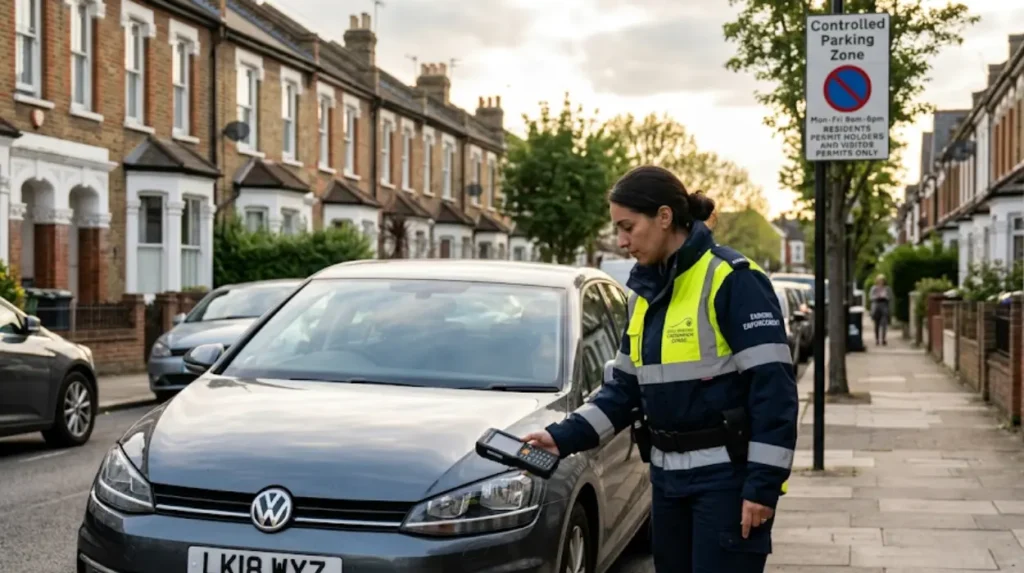
Civil Enforcement Officers patrol the Controlled Parking Zones of Greenwich on foot or in specialized enforcement vehicles. Each officer carries a ruggedized handheld computer that maintains a continuous, secure wireless data connection to the central Greenwich parking permit registry. When an officer encounters a vehicle parked in a permit-restricted bay, they use the device’s integrated camera to capture the vehicle registration mark.
The Automatic Number Plate Recognition software reads the characters on the license plate and queries the database instantly. The query checks for two specific parameters: first, whether the vehicle has a valid resident or business permit for that zone, and second, whether a resident has activated a virtual visitor parking permit covering that specific location, date, and time. This digital interrogation process takes roughly two to three seconds to return a definitive result to the officer’s screen.
If the database confirms an active, valid virtual permit for the vehicle registration mark within that specific zone, the handheld device displays a green confirmation message. The officer then moves on to the next vehicle. If the database returns no active record, or shows a permit that expired prior to the scan time, the device flags the vehicle as non-compliant. The officer then proceeds to issue a physical Penalty Charge Notice, affixing it to the vehicle’s windscreen or photographing the vehicle for postal notification.
What should you do if you receive a parking ticket while using a virtual permit?
If you receive a parking ticket while using a virtual permit, you must log into the Greenwich parking portal, retrieve the activation receipt from your history, and submit a formal challenge online within 14 days.
Receiving a Penalty Charge Notice while possessing an active permit typically stems from a specific data mismatch. The most frequent cause is a typographical error made by the resident during the activation process, such as transposing letters or omitting a digit in the vehicle registration mark. Another common cause is selecting the wrong parking zone code when activating the voucher, meaning the vehicle was legally covered for one street but physically parked on another street governed by different restrictions.
To contest the Penalty Charge Notice, the resident or the vehicle owner must gather digital evidence from their online parking account. The user navigates to the “Booking History” or “Past Permits” section of the portal. They locate the specific transaction that covers the date and time of the alleged contravention. The user must download or screenshot the full digital receipt, ensuring that the unique transaction ID, the timestamp, and the registered vehicle registration mark are fully visible.
The challenge must be submitted through the official Greenwich Council parking appeals portal rather than via email or telephone. The applicant enters the Penalty Charge Notice number—which begins with the prefix “GR” for Greenwich—and the vehicle registration mark. They upload the digital permit receipt along with a concise statement explaining the situation. If submitted within 14 days of the ticket’s issue date, the council freezes the 50 percent discount period. If the independent parking adjudicator rejects the challenge, the motorist retains the option to pay the reduced fine amount.
How does the system handle multiple visitors at the same time?
The system handles multiple visitors at the same time by allowing residents to activate multiple individual visitor vouchers simultaneously, provided each activation is assigned to a distinct vehicle registration mark and the household has sufficient credits.
The virtual parking framework accommodates multi-vehicle households and social gatherings by allowing concurrent permit activations. There is no software restriction limiting an account to one active visitor voucher at a time. If a resident hosts three separate guests who arrive simultaneously in individual cars, the resident simply repeats the activation protocol three distinct times within the portal, assigning one unused credit to each specific vehicle license plate.
The system treats each concurrent activation as an independent transaction against the account’s total available balance. For example, if a resident has a balance of ten 4-hour vouchers and activates three simultaneously for a family gathering, the portal immediately reduces the available balance to seven vouchers. The central database logs all three vehicles as legally permitted to park within that specific Controlled Parking Zone for the duration specified by those vouchers.
Residents must remain mindful of their zone’s specific physical space regulations. While the online system permits the activation of multiple concurrent virtual vouchers, it does not guarantee or reserve physical parking spaces on the public highway. All parking spaces within Greenwich Controlled Parking Zones operate on a first-come, first-served basis. Vehicles must still be parked legally within marked permit bays, avoiding yellow lines, dropped kerbs, and suspended bays, regardless of how many virtual permits are active on the account.
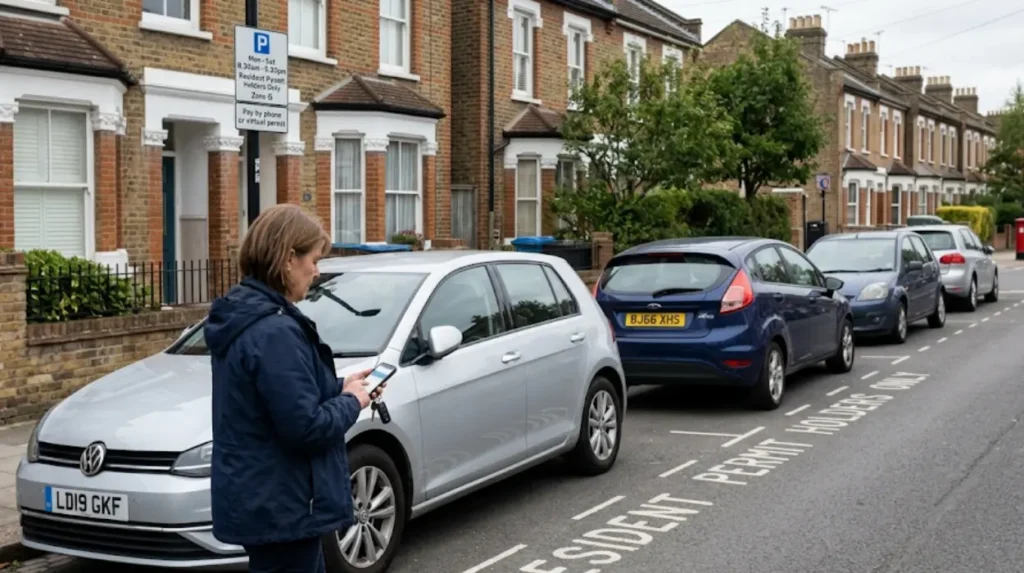
What are the long-term benefits of the digital parking transition in South London?
The long-term benefits of the digital parking transition in South London include significantly reduced local government administrative costs, minimized environmental waste from paper production, and enhanced tracking capabilities to mitigate localized traffic congestion.
The transition from physical paper systems to cloud-based municipal management represents a structural shift in urban governance across South London boroughs, including Greenwich, Lewisham, and Bexley. By eliminating the manufacture, storage, and postal distribution of physical scratchcards, Greenwich Council reduces its operational expenditures. These saved administrative funds can be redirected into broader public services, such as highway maintenance, public transport improvements, and local environmental initiatives.
From an environmental perspective, the virtual permit system eliminates paper and plastic waste. Under the legacy framework, hundreds of thousands of single-use scratchcards were printed, scratched, and discarded annually, contributing directly to local municipal waste streams. The digital system operates entirely via electronic data transfers, lowering the carbon footprint associated with managing borough-wide parking restrictions. Additionally, it removes the need for residents to travel to council offices or wait for postal deliveries to restock their permit supplies.
Furthermore, digital systems provide municipal planners with precise, anonymized data regarding parking bay utilization rates across different neighborhoods. By analyzing real-time activation data, traffic engineers can identify which Controlled Parking Zones experience the highest demand at specific times of day. This data directly informs future urban planning decisions, such as adjusting zone operational hours, implementing low-emission neighborhoods, or expanding cycling infrastructure, ultimately contributing to reduced congestion and improved air quality across South London.